
To select your MLS® Choice, follow the steps mentioned below:
- Go to: members.lstar.ca
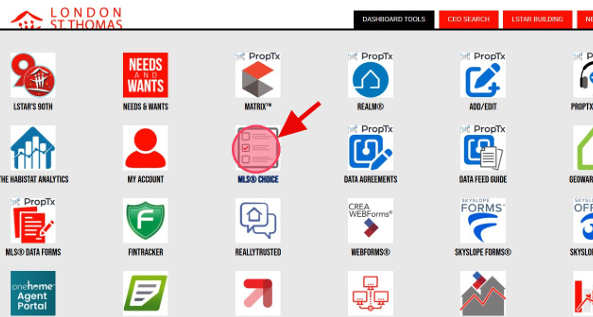
- From the Member Hub, navigate to the black Dashboard Tools tab at the top of the page. Click it, then select MLS® Choice to continue.
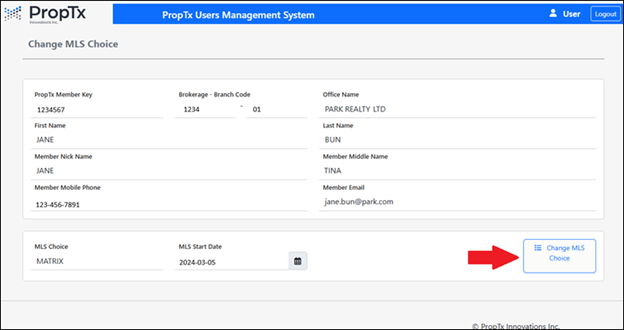
- On the next screen, you will see a summary of your membership information. Click the button in the bottom-right corner labelled Change MLS Choice.
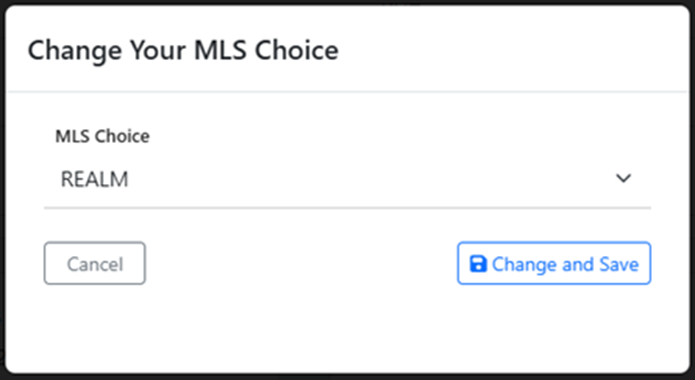
- A pop-up will then appear. Click the dropdown arrow to the right and select either REALM® or Matrix™.
- Click the Change and Save button to confirm your choice.
Access the step-by-step PDF walkthrough HERE >