
Whether you are a seasoned Matrix™ user or new to the system, the latest version coming to the PropTx MLS® is packed with updated features and tools to increase your productivity and efficiency.
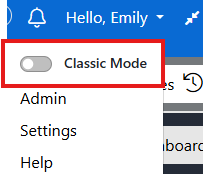
Starting the week of April 28, users will have the option to toggle between the current Classic display and a new, updated responsive dashboard. Over the next few weeks, additional features will be added as the Matrix™ platform is updated to version 12.5.
To switch between display modes, use the down arrow under your Hello Name at any time.
What’s New in Matrix™
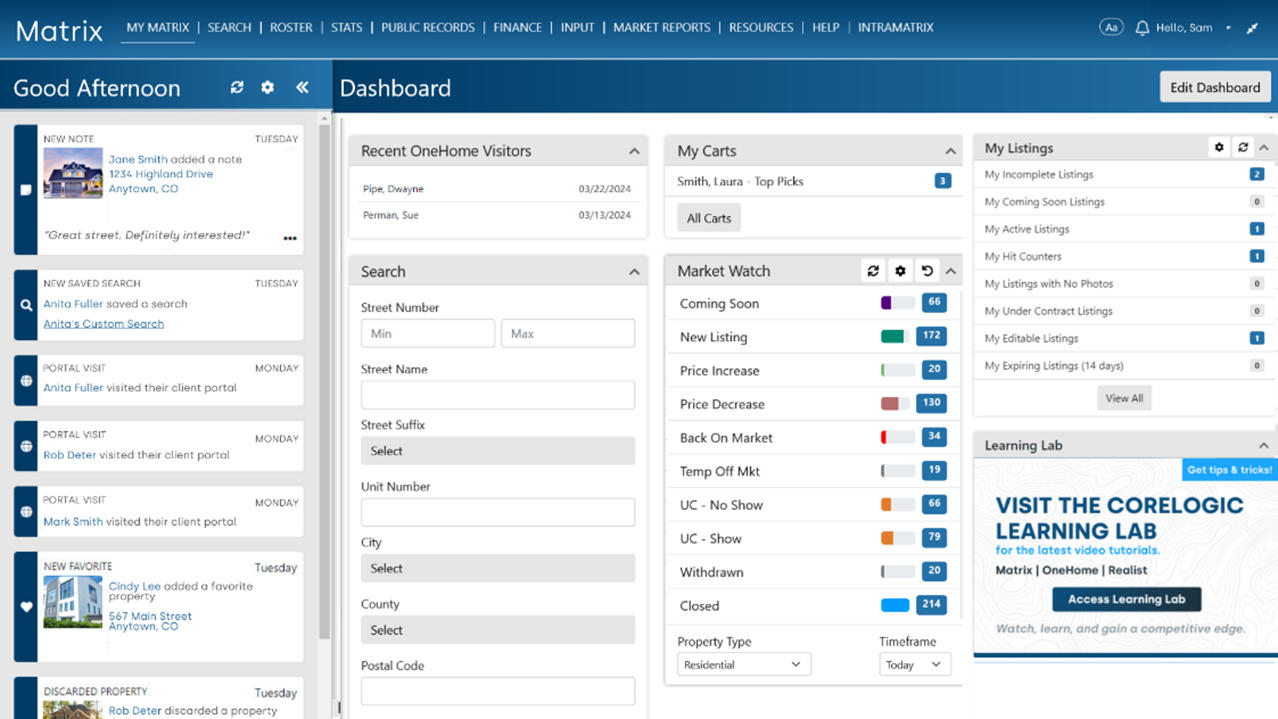
Modern Dashboard
Personalize your workspace with the tools and information you rely on, making your daily tasks seamless.
Enhanced Mobile Experience
The new Matrix™ dashboard is optimized for mobile devices and tablets, ensuring you stay productive no matter where you are working.
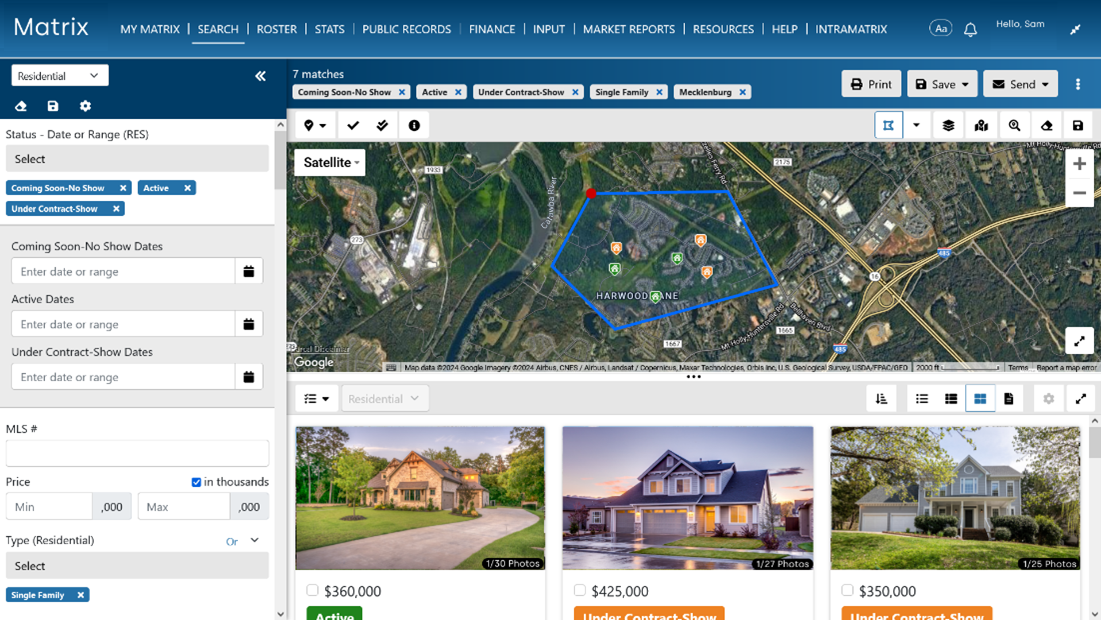
Responsive Three-Panel Search
The new responsive dashboard works hand-in-hand with the new three-panel search option. This feature allows you to set criteria, view listing results, and access additional property details and photos all from one place. Customize your view by resizing and hiding panels to focus on what matters most to you. The three panels also adjust for easy use on tablets and smart phones. To take advantage of the new search, simply click on “Search (New)” under the Search option at the top of the page.
Coming over the next few weeks:
The features described above are just the start. We will announce further enhancements in short order, including:
- New Find Bar for Quick System-Wide Searches
Quickly search listings, contacts, agents, and more from one place. Simply type to see matching suggestions and go straight to what you need, skipping the main menu. Plus, it keeps your recent activity, like searches and contacts, right at your fingertips. - Track Client Portal Activity with the New Timeline
Keep tabs on your clients' activities through the new timeline feature on the new dashboard. From tracking favourites and discarded listings to monitoring updates in their OneHome™ planner, this tool helps you prioritize follow-ups and boost client satisfaction. - CMA
A new CMA has been redesigned for maximum usability and efficiency while matching the look and feel of the other upgraded program areas perfectly. Evaluating and comparing listing details and photos is enhanced for a seamless workflow. - Branding Centre
Empowers you to add your branding across the CoreLogic ecosystem, including Matrix™ emails, OneHome, and MLS-Touch/Prospects Mobile.
Resources
Visit the Matrix™ Learning Lab and explore videos, guides, and more.