
Your Matrix™ workspace is getting more powerful on Wednesday, August 20. The latest update makes it easier to work on any device, track client activity in real time, search faster, and personalize your workspace with your own branding. Whether you are managing listings in the office or on the go, these new tools help you save time and stay connected with your clients.
Test Drive the New Dashboard
Explore the new dashboard. You have the flexibility to switch back to Classic Mode until you decide to make the change permanent.
Click your Profile Name.
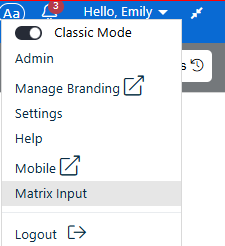
Move the slider to turn off Classic Mode.
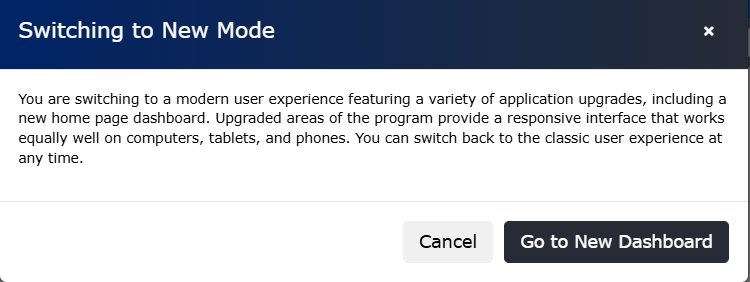
Click Go to New Dashboard.
What’s New
Responsive Design – Optimized for mobile devices and tablets, so your workspace looks great on any screen size.
Timeline – See a chronological feed of client activity, including favourites, discarded listings, and OneHome™ planner updates, so you know exactly when to follow up.
Find Tool – Search by MLS® number, address, or contact name from one central field to get results faster.
Font Adjuster – Increase or decrease text size for easier viewing.
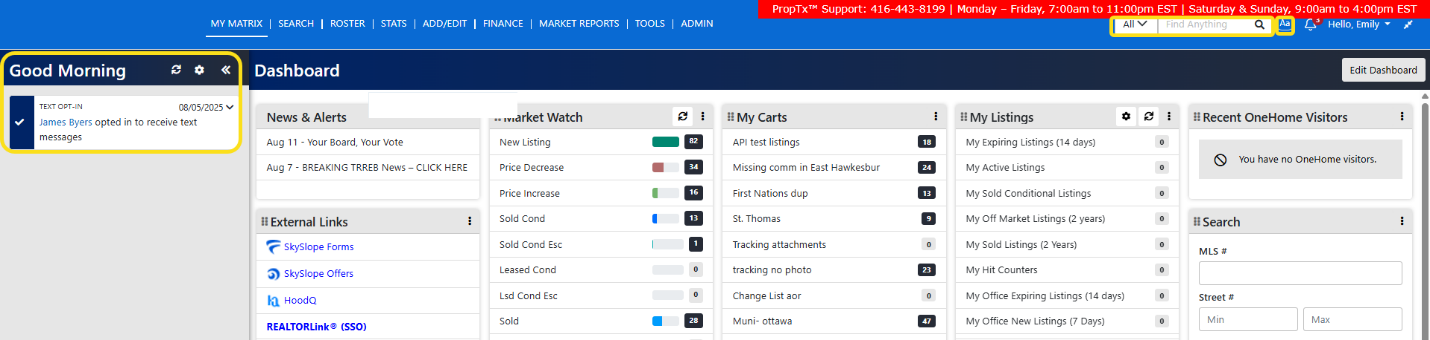
Responsive Three-Panel Search
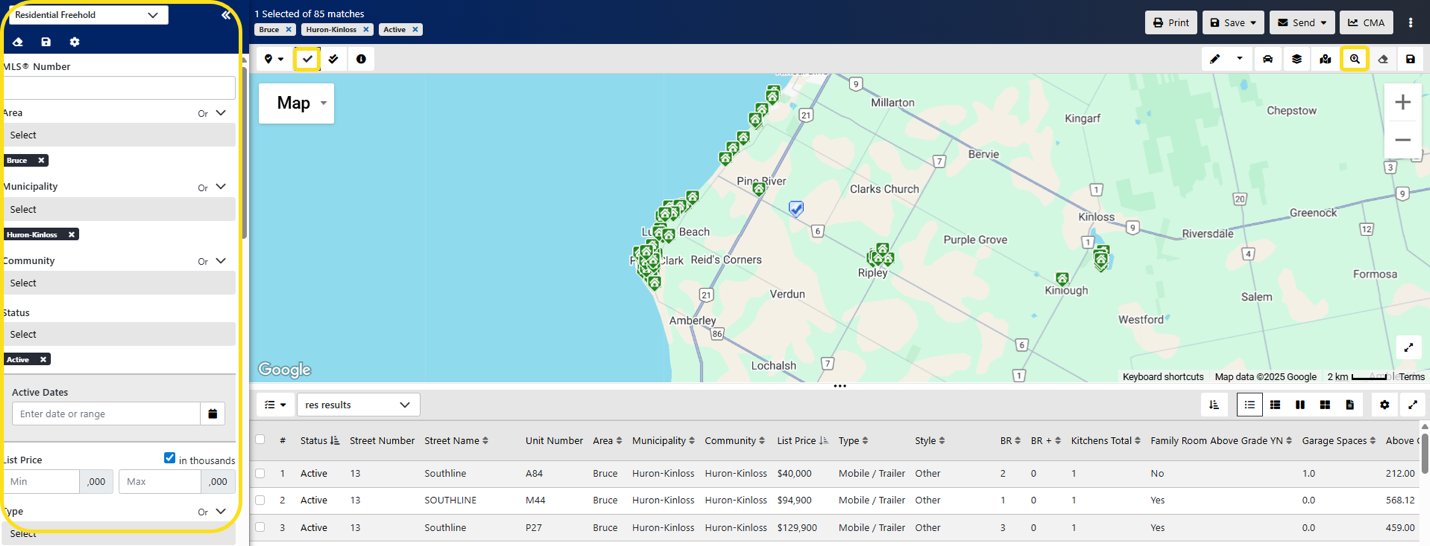
Set criteria, view results, and see property details all on one screen.
Click Search, then select Search (New!) from the dropdown menu.
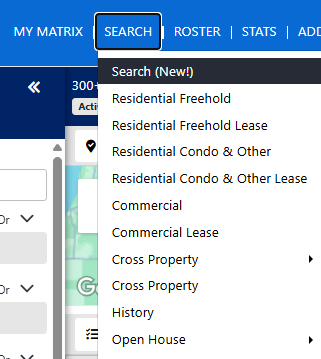
Choose a Property Class search.
Use the filters to select an Area/Municipality/Community or click the Jump to Location icon to navigate the map.
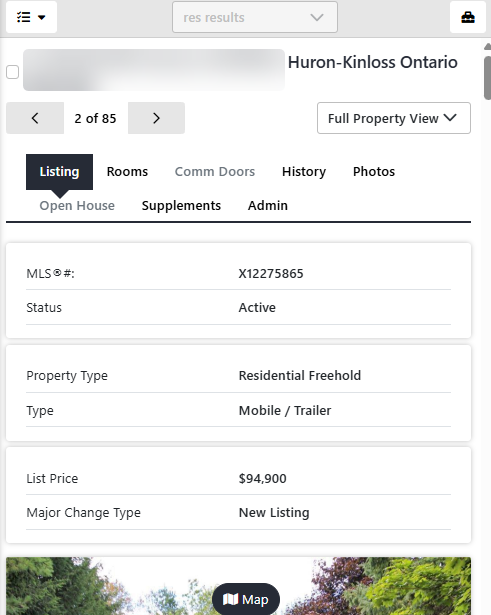
Refine results by adding a status, date range, and property features. Change views any time using the View menu (bottom right) to switch between List, Thumbnail, Comparison, Gallery, or Display View.
Branding Centre
Upload your company logo to display in Matrix™ emails, OneHome™, and the Prospects Mobile app.
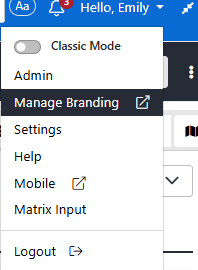
Click your Profile Name, then select Manage Branding.
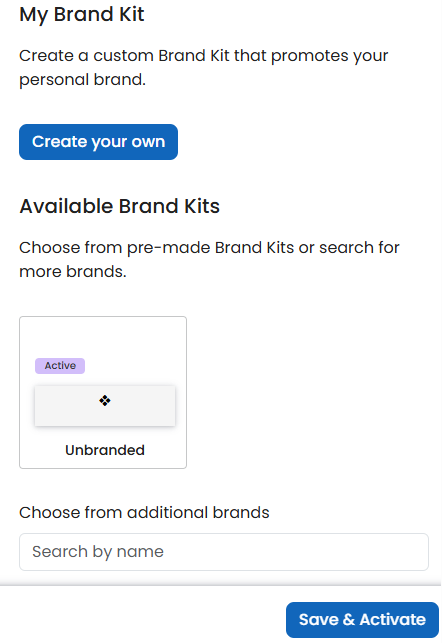
Under My Brand Kit, click Create your own or choose an existing brand.
Log in and start using the new tools on Wednesday, August 20 to make the most of your Matrix™ experience.
Helpful Resources
Visit the Matrix™ Learning Lab and explore videos, guides, and more.