
Before uploading any image to the MLS® System, every member must understand and follow key compliance requirements. Please carefully review the points below to avoid MLS® Rule infractions.
Property Specific Content Only
Every image uploaded must prominently feature information specific to the listed property. Images must reflect the actual property details and not distract or mislead.
Digitally Altered Images – Transparency is Crucial
If you digitally alter an image or use artificial intelligence tools, transparency is non-negotiable.
Altered images must not misrepresent the property. Adding elements or making changes that significantly distort the appearance or create false consumer expectations may be considered misrepresentation – especially if no disclosure is provided.
Example of Misrepresentation:
- Adding grass or landscaping when none exists
- Depicting a paved laneway when it’s gravel
- Removing wallpaper or permanent fixtures
- Making a room appear larger than it is
- Covering imperfections (e.g. stains on carpets)
Examples That are Permitted:
- Adjusting the sky to appear brighter
- Removing a car, trash cans from the laneway
- Adding virtual furniture (IMPORTANT: You must clearly disclose that the image(s) is virtually staged)
Compliant

Not Compliant - adding grass when none exists

Surrounding Amenities – Can you See it From the Property?
Images of nearby amenities cannot be uploaded unless they are directly visible from the property.
Not Permitted:
- Including a beach or park image if it cannot be physically seen from the property.
Permitted:
- Including amenities that are part of the condo fee or property (e.g. Shared pool, gym).
Aerial Images – Allowed with Boundaries, Not Wording
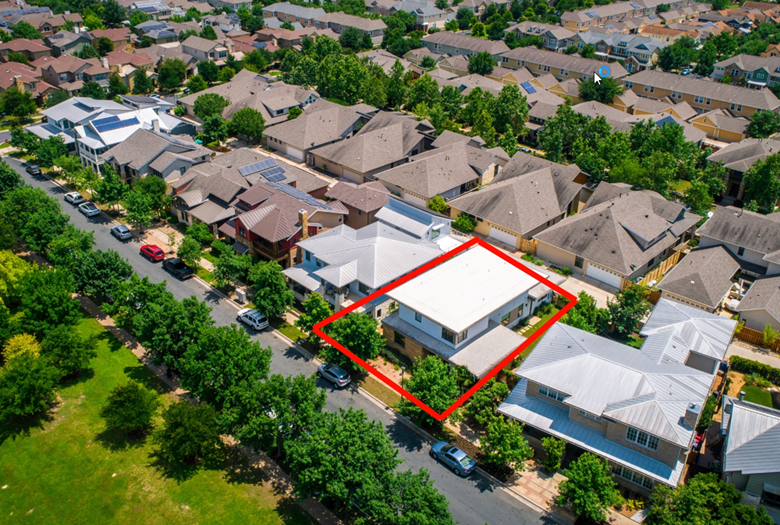
Aeriel images are permitted if the property itself is visible in the image.
Permitted:
- A border outlining the property’s boundaries is allowed.
- A map marker is allowed.
- No wording is allowed on the image (wording can go in the image description box).
Permitted:
NOT Permitted:
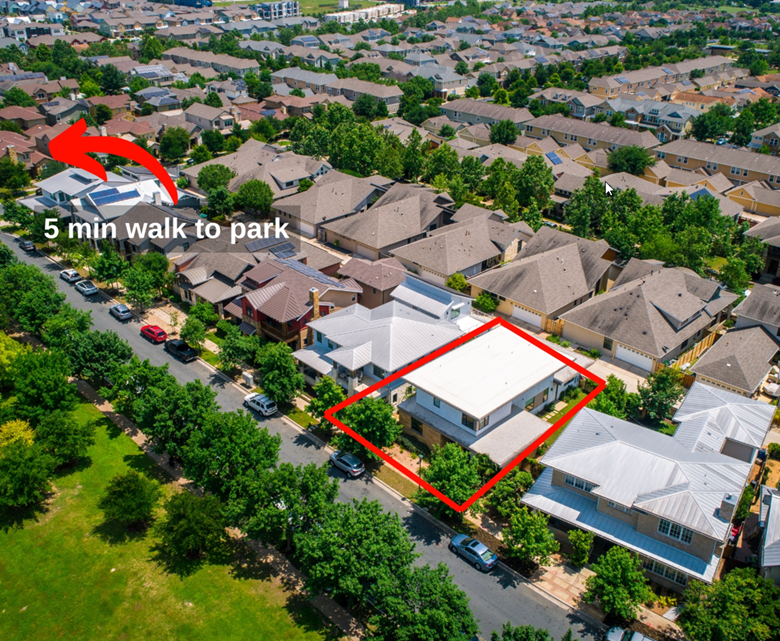
What is Considered a Marketing Message
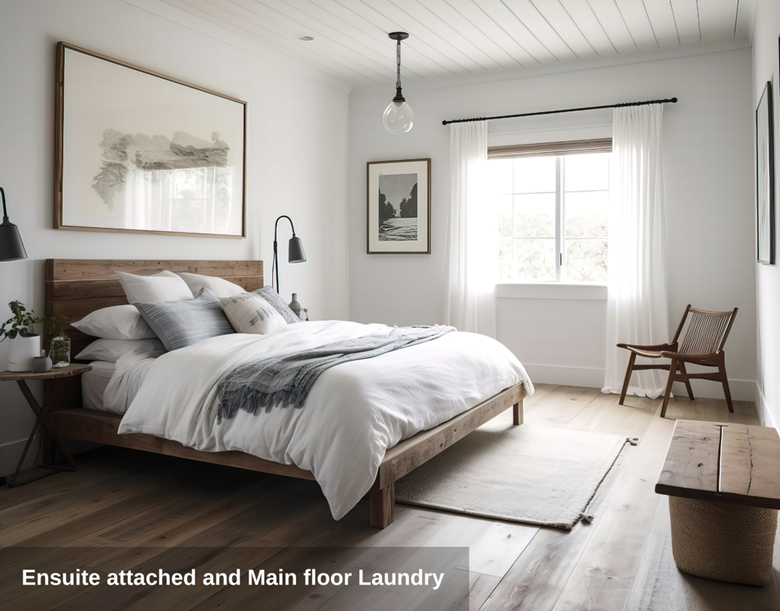
A marketing message on an image refers to any visual or textual element that communicates promotional or descriptive information about the property, the image, or the agent. These messages are intended to highlight features, benefits, or selling points that might attract potential buyers.
Examples of marketing messages on images include:
- Descriptions like “Five-minute Walk to the beach”, “Luxury ensuite bathroom”, or “Spacious master bedroom”.
- Any text or graphic overlay that provides promotional or marketing details including:
- Creating a flyer regarding amenities and uploading this as an image.
- Uploading an income snapshot for a commercial property.
- A business for sale and uploading a digitally created image of the business name.
Not Permitted:
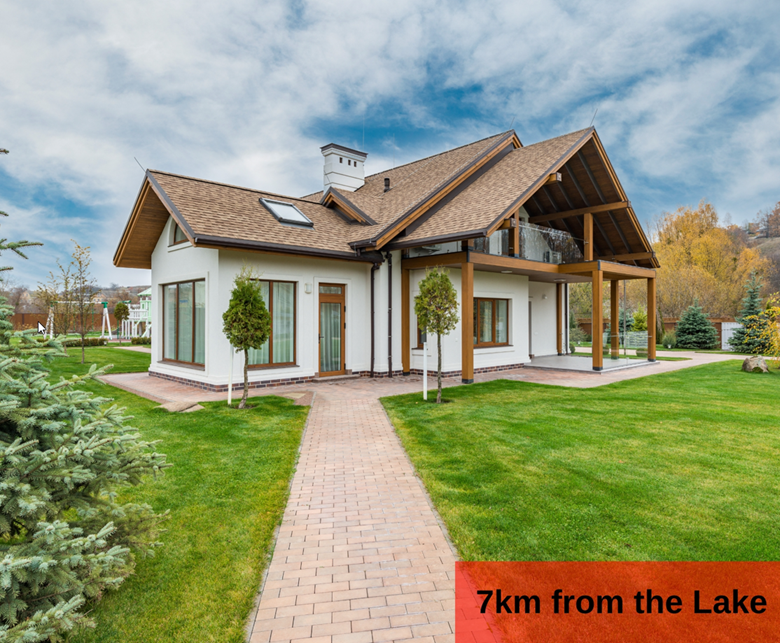
Placing Marketing Messages Correctly
To ensure all promotional content is placed appropriately and complies with the standards, follow these guidelines:
Promotional or Descriptive Details:
- Enter these details in the Image Description Box or in the Client Remarks section of the listing.
Standalone Marketing Materials:
- Upload these as a document attachment or include relevant information in the Client Remarks section of the listing.
Images of People – Not Permitted
Images containing people are strictly prohibited. Ensure no person is visible in any listing image.
Brokerage Signage and Marketing
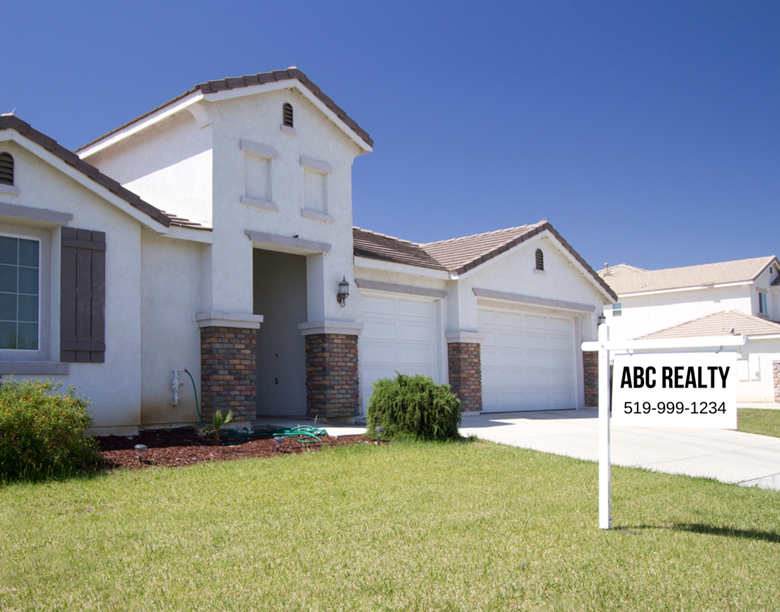
Brokerage signs must be blurred, and no marketing message or promotional wording is allowed on images.
The only permitted wording is the PropTx watermark automatically applied to photographs.
Not Permitted:
Copyright – If It’s Not Yours, You Need Written Permission
By Submitting marketing materials to the MLS® System, you warrant that you have permission to use them.
- Members may only use materials they have created or purchased, including all images and text.
- If using materials created by a third party, you must have written consent for use.
Final Reminder
Compliance is not optional. Failure to follow these requirements can result in rule violations, fines and disciplinary actions. Ensure the images you upload adhere to the MLS® Rules to protect yourself, your clients, and the integrity of the system.