
PropTx Verify is a tenant screening tool to help verify applicant information securely, reduce back-and-forth, and support more confident decision-making. By combining verified data sources, automation, and AI-powered tools, PropTx Verify streamlines the tenant screening process from application to approval.
Recent updates introduce new ways to run checks, simplify verification, and gain clearer insights from every report.
Run Checks Yourself
You no longer need to wait for tenants to complete an application link before getting started. If you already have documents on hand, you can upload what you have and run a screening right away.
This includes employment letters, pay stubs, bank statements, and identification documents, allowing you to move forward on your schedule.
When you need stronger verification, tenants can connect their payroll or bank account directly, providing access to real-time, verified data without relying only on uploaded documents.
Tenants Screen Themselves
Tenants can now complete a verified screening, independently and securely, and share their PropTx Verify report with agents or landlords.
This allows tenants to screen once and reuse their verified report, helping qualified applicants stand out while reducing repetitive paperwork. For you, this means fewer incomplete applications and more prepared prospects reaching out with screening already complete.
Automated Verification Calls
PropTx Verify now completes employment and landlord verification calls automatically. Once a tenant submits their application, the system contacts employers and previous landlords using the information provided.
The system asks standard verification questions, retries calls when needed, and delivers a clear summary of the results directly to the dashboard. This removes manual follow-ups and phone tag from the screening process.
Chat With a Report
Each screening report now includes an AI-powered chat feature. You can ask questions, request summaries, compare applicants, or identify potential concerns without searching through multiple sections of a report.
The chat reviews the full file and delivers clear, plain-language responses to support faster decision-making.
Credits
The billing experience has also improved. When you purchase a screening, the system adds a credit to your account and uses it only after the tenant completes their verification.
If a tenant does not finish the process, the credit remains available for future use, eliminating the need for refunds or follow-up requests.
How to Access PropTx Verify
- Go to members.lstar.ca and sign in.
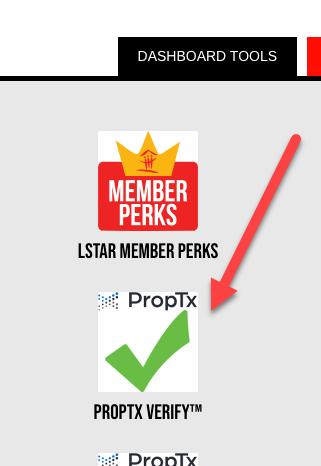
- Once logged in, look to the top banner and select Dashboard Tools.
- Click the PropTx Verify icon to get started.
Need Help?
If you have questions or need support, contact the PropTx Help Desk at support [at] proptx.ca (support[at]proptx[dot]ca) or 416-443-8199.