
This new enhancement will improve the public open house workflow and make it easier for users to manage open house details across listing platforms.
Each listing will include public open house fields, streamlining the process for adding livestream and in-person open house dates to REALM®, Matrix™, REALTOR.ca, and other third-party platforms.
Listing Salespersons 1, 2, 3, and 4, as well as their Brokerage Administrators and Brokers of Record, can access the Public Open House tab.
To add an open house:
- In Add/Edit, click the Add Listing tab to create a new listing.
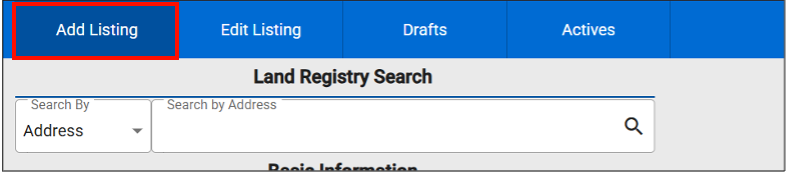
- Click the Public Open House tab.
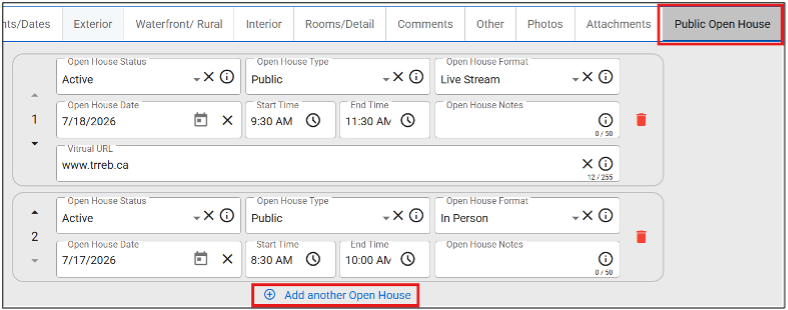
- Complete the following fields:
• Open House Format
• Open House Date
• Start Time
• End Time
• Open House Notes
Note: Live Stream Open Houses require a virtual URL.
- Click Add another Open House to add up to six open houses in total.
To add or edit open houses for an existing listing:
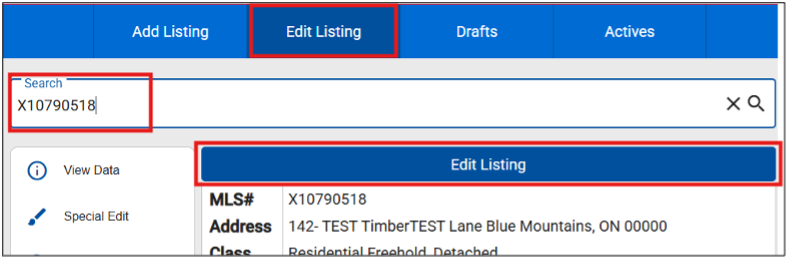
- In Add/Edit, click the Edit Listing tab.
- Enter an active MLS® number or address in the Search field, then click Edit Listing.
- Click the Public Open House tab.
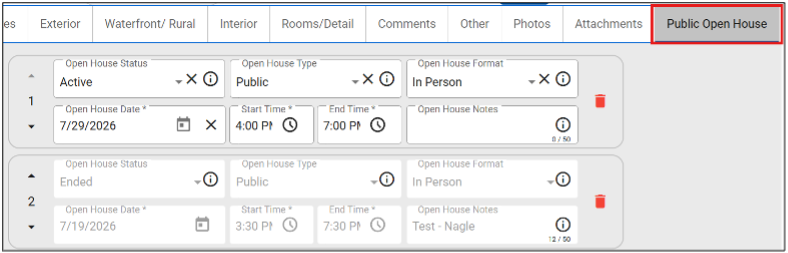
- Add or edit the following fields:
• Open House Format
• Open House Date
• Start Time
• End Time
• Open House Notes
Note: Live Stream Open Houses require a virtual URL. You may not edit past Public Open Houses.
- Click Add another Open House to add up to six open houses in total.
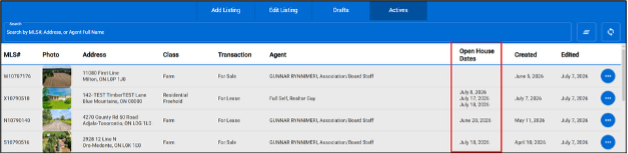
This update is designed to reduce extra steps, improve consistency, and support a more efficient listing management experience for users and Brokerage Administrators. The Active Listings tab will display public open house dates, making them easier to review and manage.
Process Change: As part of this streamlined workflow, administrators will manage public open houses directly within listings instead of using the Brokerage Open House management hub.
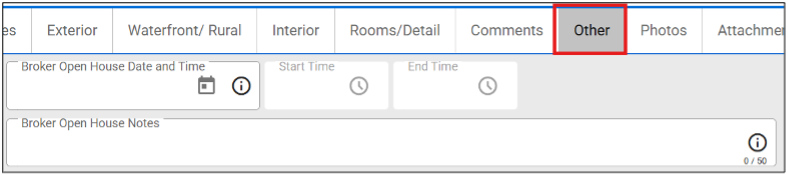
Important Note: Users should continue to use the Other tab to enter agent-only Broker Open House dates and times.
Need Help?
Contact the PropTx Help Desk:
- Email: support [at] proptx.ca (support[at]proptx[dot]ca)
- Phone: 416-443-8199