
Creating high-quality listing videos is now quick and affordable. Supreme™, powered by PropTx, will automate video creation in minutes, helping you market listings faster and spend more time with clients.
Here’s How It Works
Supreme™, a new AI-generated video tool, instantly produces professional listing videos. You can create videos for any active listing, including newly added listings and existing active listings.
Seamless MLS® Integration
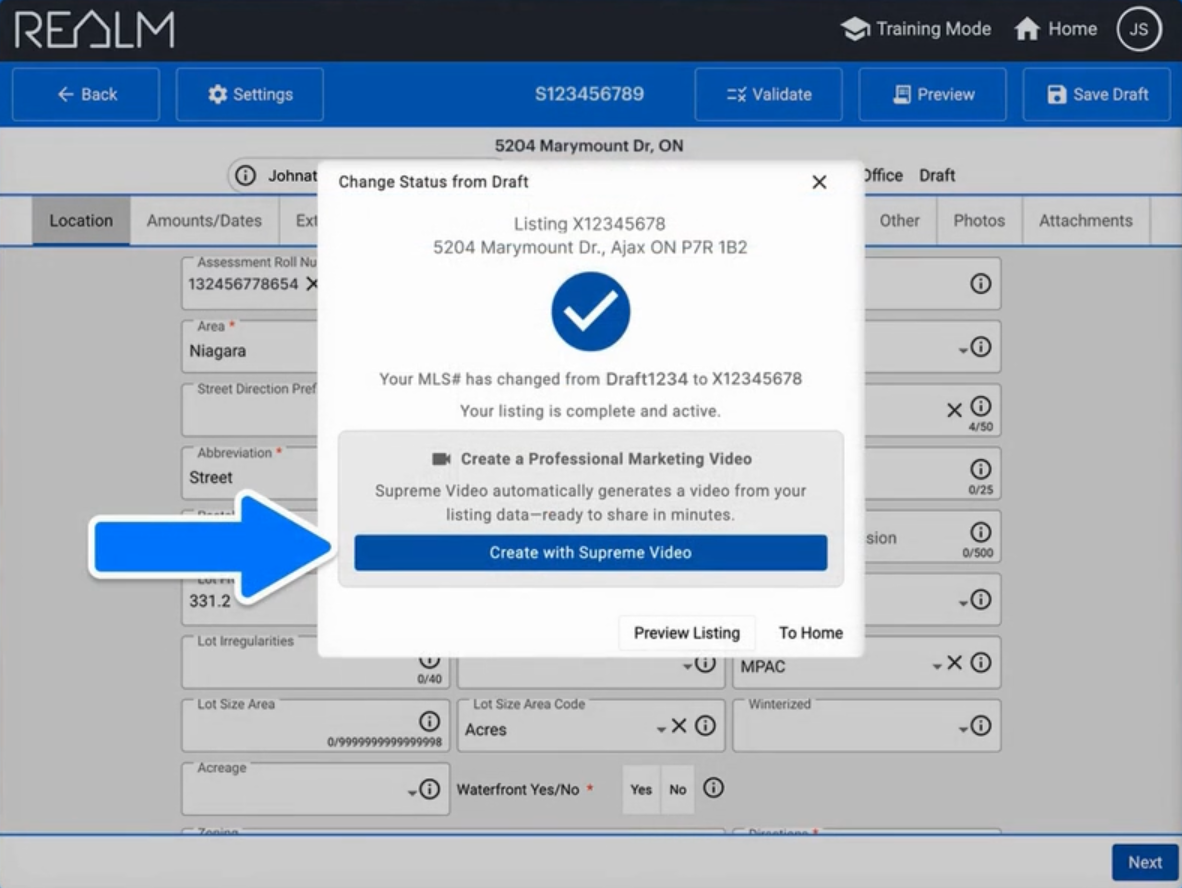
As soon as a new listing is added to the MLS® System, Supreme™ gives you the option in Add/Edit to generate four videos (up to 2 minutes in length) for only $15.
- Two Branded Videos (landscape and portrait versions) for social media and marketing campaigns
- Two Unbranded Videos (landscape and portrait versions) will automatically attach to your listing
Smart, Automated Video Creation
Supreme™’s AI:
- Pulls from your MLS® data and selects the 10 best listing photos
- Uses public remarks and property details to craft compelling scene descriptions
- Adds natural narration and eye-catching visuals for maximum appeal
Tip: Great photos + a creative description = standout videos.
Fully Customizable
Make every video uniquely yours:
- Swap photos and edit captions anytime
- Clone your voice for narration – or choose from a library of professional voices
- Add your branding, logo, intro or outro scenes, and more
Consistent, Smart Marketing
Supreme™ makes it easy to:
- Launch a polished video campaign as soon as your listing goes live
- Deliver consistent branding across your social media channels, websites, and email marketing campaigns
Getting Started
You can access Supreme™ Video through Add/Edit when you are creating or editing a listing.
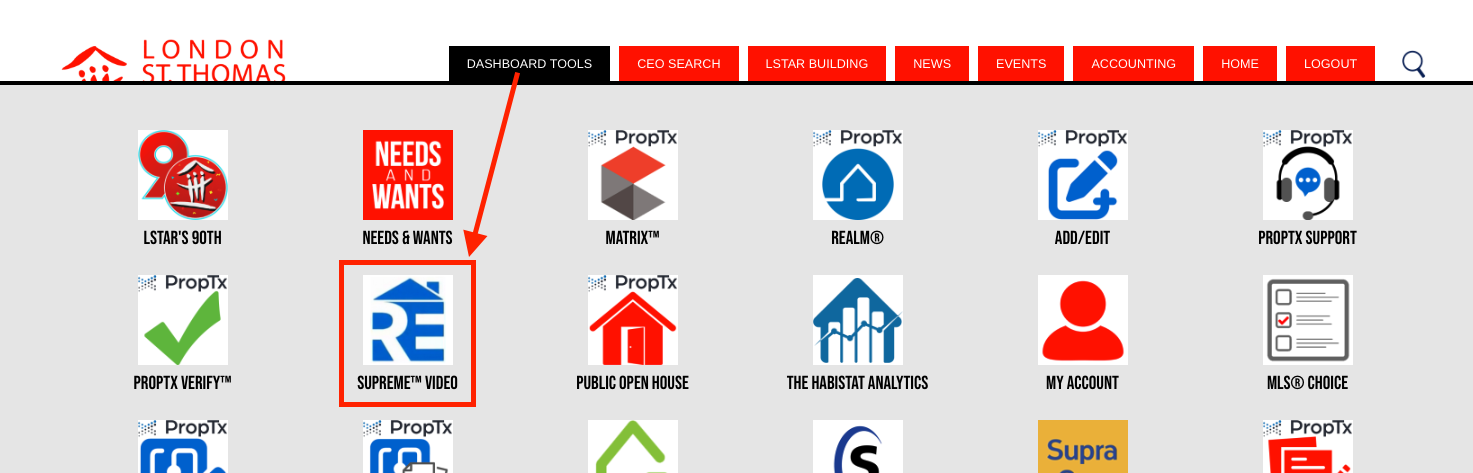
You are also able to get to Supreme Video through the Dashboard Tools on the LSTAR Member Hub:
How-to Videos and Resources
- Getting Started - Part 1: Creating a Video
- Getting Started - Part 2: Video & Voice Customization
- Getting Started - Part 3: Sharing
- Supreme™ Video How-To Guide
- Supreme™ Video FAQs
Need Support?
Contact the PropTx Help Desk at support [at] proptx.ca (support[at]proptx[dot]ca).